
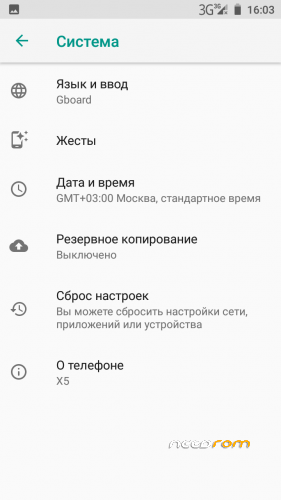
ANDROID OREO 8.1 
Android Oreo is here, recently released in 4PDA, I'll teach you how to install, but first is first. THIS FIRMWARE WAS MADE POSSIBLE THANKS TO; Snowcatpda - for compiling the kernel, Rock1234 - for fixing bugs in the kernel, artem110777 - for booting and creating the firmware with the help of Rock1234, ska-vova|nik-kst|Skyrimus| - for overall helping in the making
Firmware details:
Kernel 3.18.79
Android Oreo 8.1
"stable" Alpha 1
Project Treble enabled.
Known bugs:
Camera is not working
Acelerometer not working.
Proximity sensor not working.
Bright sensor not working.
In Firmware alpha 1 (not treble ROM's) gapps are included but not working already.
HOW TO FLASH (THIS IS NOT FLASHABLE LIKE ANY OTHER ROM IN HERE) DO THIS WITH EXTREME CAUTION, READ EVERYTHING AND DO AS I SAY!
CÓMO INSTALAR (ÉSTA VERSIÓN NO ES INSTALABLE COMO CUALQUIER OTRA ROM QUE PUEDAS ENCONTRAR AQUÍ) SEGUIR LOS PASOS DE ÉSTE TUTORIAL CON EXTREMO CUIDADO, LÉE BIEN Y HÁZLO COMO YO LO INDICO.
| English_GUIDE | SelectShow</> |
|---|---|
Step 1First of all, backup your nvram (IMEI) using TWRP by Jemmini 3.0.2 or 3.2.1 Nougat (don't use 3.2.1 for OREO because you wont have anything written) / For doing this simply go to backup, select nvram and nvdata and make the backup in external storage (microsd)This is made for sms and calls to work, also mobile data.
Step 2Now a large process will come, repartitioning your device to create /vendor partition and flash Oreo. (Repartitioning was possible thanks to SKA-VOVA) Step 2.1Download lastest OFFICIAL ANDROID 6.0 Firmware for SPFLASHTOOL; https://drive.google.com/file/d/0B6HBCntn0EZRdlp1QzdMWTNUNFU/view?usp=drive_web / after it finish downloading extract it Step 2.2Download the scatter file I left in download section that Andrey167 gave me, who helped me 99% of the process of booting Oreo and understanding it, incredible developer. If it wasnt for Andrey167 help I couldn't explain you guys how to do this so it works for you all too.Step 2.3Move Scatter file to downloaded 6.0 firmware, delete old Scatter file, Open SPFLASHTOOL, select 8.1 scatter file. UNTICK OR UNSELECT BOOTLOADER, DON'T FLASH BOOTLOADER BY ANY MEAN BECAUSE THAT CAN BRICK YOUR DEVICE AND HELL NO, WE DON'T WANT THAT. (03/06/2018)Select "Format all+Download" at Download type in SPFLASHTOOL, an error should pop-up saying there is no vendor.img selected, then just leave it Download only and flash. / If you get error "PMT has changed, you have to select "Format all + Download" and try again" then go to Format section in SPFLASHTOOL, select Formwat whole flash EXCEPT BOOTLOADER, then hit start (NOTE YOU WILL LOOSE EVERYTHING EXCEPT FOR WHAT IS INSIDE EXTERNAL SD), after this happens select Scatter file again and Hit download only.Step 2.4It's time to flash vendor.img, download vendor that I left in download section (Vendor made by artem and rock in 4pda) untick all other options such as system, userdata, cache, boot, simply disable them because we are only going to flash vendor, select the vendor file you have just downloaded and flash it.Vendor partition is ready! (DON'T BOOT YET, WE WILL CONTINUE WITH FLASHING AND BOOTING OREO NEXT)
|
|
| Guía_en_español | SelectShow</> |
|---|---|
Primer pasoPrimero que todo, haz una copia de seguridad de tu NVRAM (IMEI) usando el TWRP 3.0.2 de Jemmini o 3.2.1 Nougat (no uses el 3.2.1 de OREO porque no tendrás nada guardado ni tiene protocolo de guardado funcional) / Para hacer esto entra en el recovery, sección backup, selecciona nvram y nvdata asegurándote de hacer el backup (copia de seguridad) en la memoria externa o external storage (microsd)Éste paso se hace para que los SMS y las llamadas funcionen, así también como los datos móviles.
Paso 2Ahora viene un proceso bastante largo, reparticionar el dispositivo para crear la partición /vendor y poder flashear Oreo, éste paso es de carácter OBLIGATORIO. (El reparticionado es posible gracias a SKA-VOVA) Paso 2.1Descarga el último OFFICIAL ANDROID 6.0 Firmware para SPFLASHTOOL; https://drive.google.com/file/d/0B6HBCntn0EZRdlp1QzdMWTNUNFU/view?usp=drive_web / después de que la descarga termine extráeloPaso 2.2Descarga el archivo scatter que dejé en la sección de descargas, cortesía de Andrey167 , quien me ayudó el 99% del proceso de bootear (iniciar, prender mi teléfono) con Oreo y entender cómo funciona, es un tipo increíble. Si no fuera por Andrey167 y su ayuda no podría estarles explicando ésto a ustedes chicos, agradezcan.Paso 2.3Mueve el scatter file descargado a donde está el firmare 6.0 official que descargaste y extraiste , abre SPFLASHTOOL, selecciona el 8.1 scatter file. DESACTIVA O DESELECCIONA EL PRELOADER/BOOTLOADER , NO FLASHEES NI MODIFIQUES EL PRELOADER BAJO NINGÚN SENTIDO PORQUE ESO PUEDE BRICKEAR TU DISPOSITIVO. (03/06/2018)Selecciona "Format all+Download" en el tipo de Download en SPFLASHTOOL, debería de salirte un error diciendo que no hay un vendor.img seleccionado, cierra el error y deja que el modo quee en Download only y procede a flashearlo. / Si obtienes el error "PMT has changed, you have to select "Format all + Download" and try again" ve a la sección de FORMAT en SPFLASHTOOL, selecciona "Formwat whole flash EXCEPT BOOTLOADER", conecta tu disposito y luego dale click a start (RECORDAR QUE PERDERÁS TODO EXCEPTO LO QUE ESTÉ EN LA TARJETA EXTERNA O MICROSD), después de que ésto pase selecciona el Scatter file de 8.1 nuevamente y selecciona Download only, intenta flashear nuevamente.Paso 2.4Hora de flashear el vendor.img, descarga el vendor que dejé en la sección de descarga (Vendor hecho por snowcatpda, artem and rock in 4pda) desactiva todas las otras opciones como system, userdata, cache, boot, etcétera, desativalas todas excepto vendor porque sólo esa vamos a flashear, dale click a la ubicación, selecciona el que descargaste y con el modo de descarga en Download only, procede a flashear el venor.PARTICIÓN VENDOR CREADA! (Aún no prendas el teléfono, que la guía continúa y sigues sin tener OREO)
|
|
THIS IMPLEMENTATION OF OREO FOR OUR DEVICE INCLUDES PROJECT TREBLE, WHICH MEANS THAT ANY ROM FOR PROJECT TREBLE THAT IS ARM (32BITS) CAN BE FLASHED AND WILL WORK, GAPPS IN TREBLE ROMS WORK, I WILL SOON MAKE A GUIDE ON HOW TO FLASH A TREBLE ROM SUCH AS LINEAGE OS 15.1 OR ResurrectionRemix 6.0
from ROMs https://ift.tt/2J0LRSr

No comments:
Post a Comment